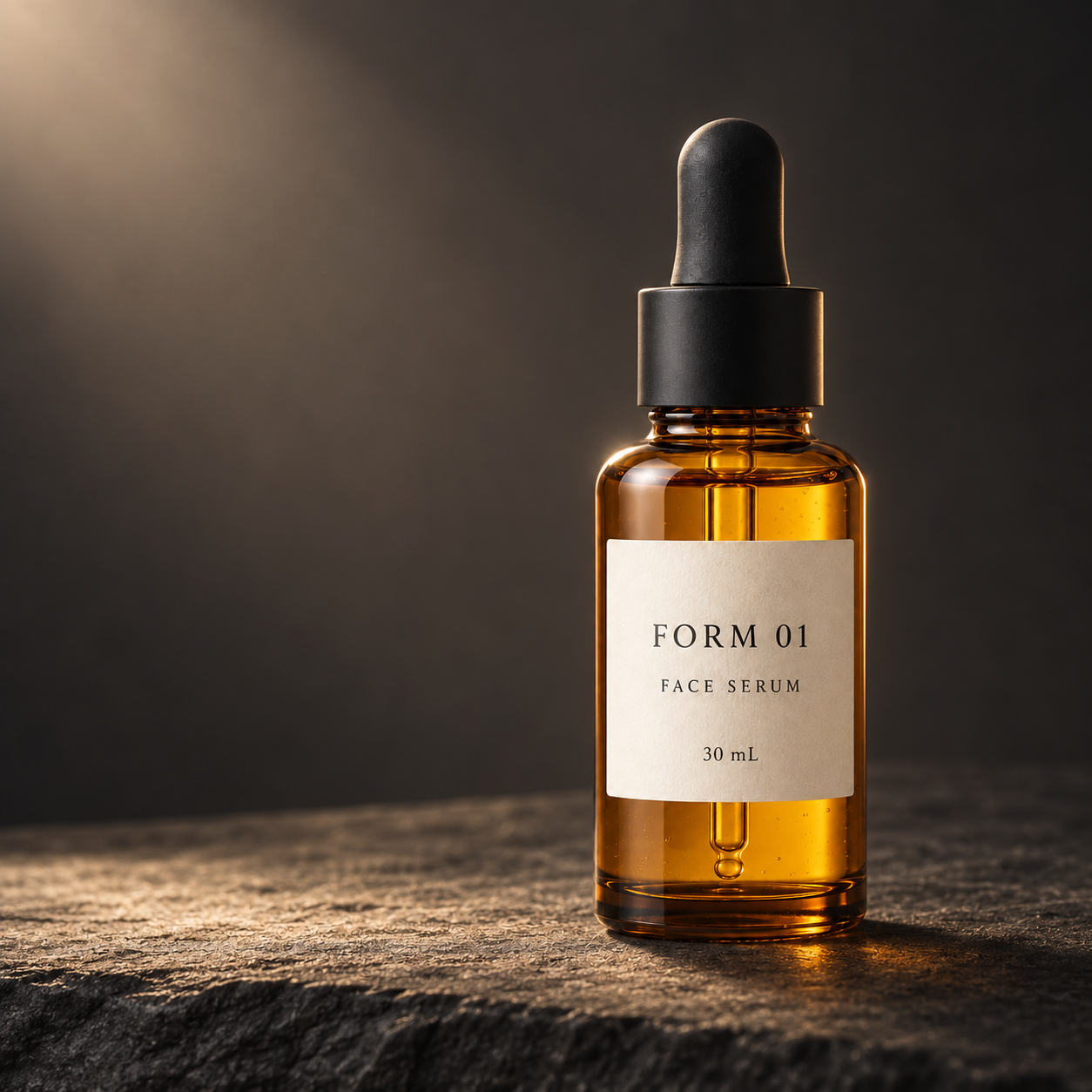
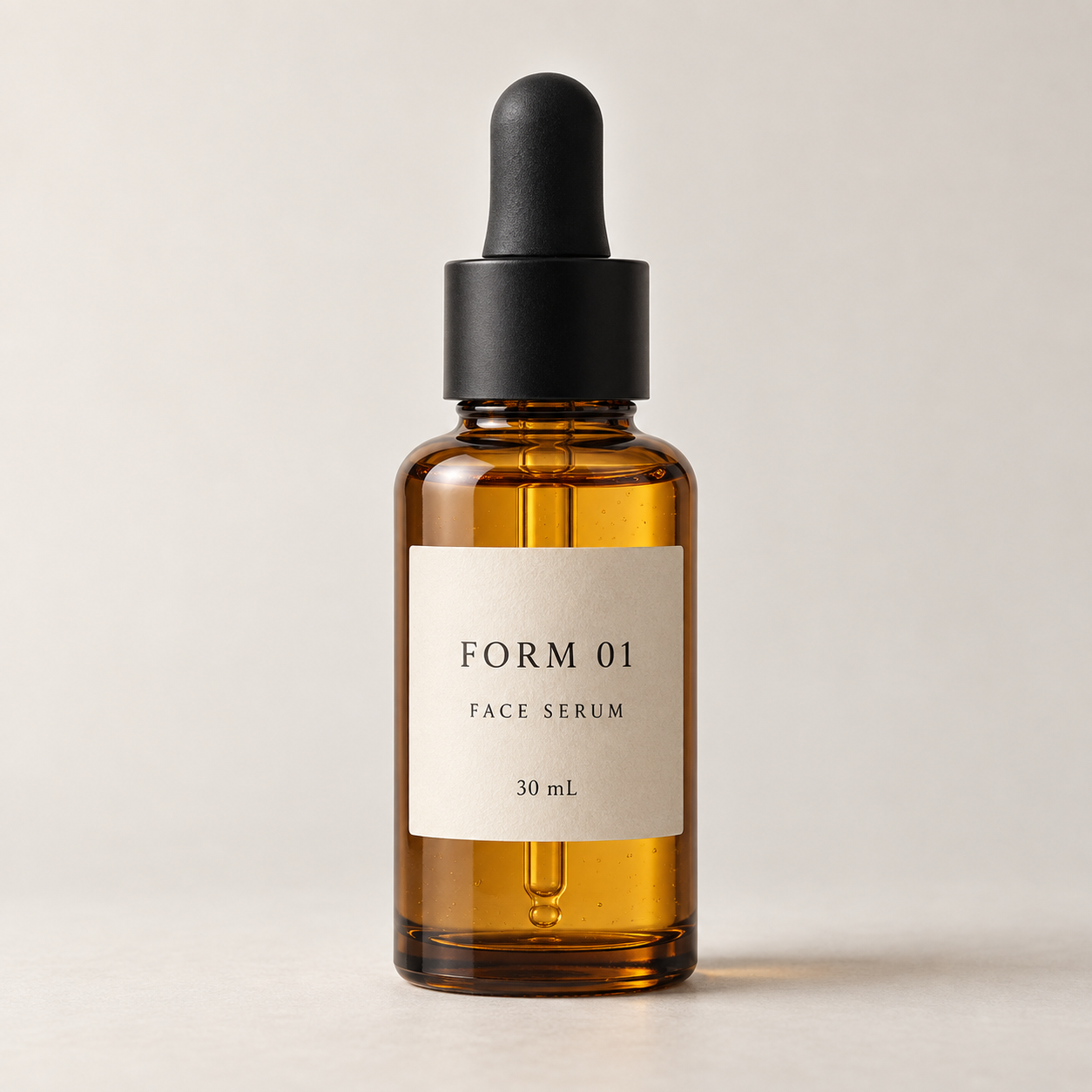
Cinematic Product Photography template with the original example, exact generation prompts, application guide and supporting artwork.
Replace the highlighted inputs with your details, then copy to your AI tool.
Copyable prompt
Create one cinematic commercial photograph of [PRODUCT_NAME_AND_DESCRIPTION], using the attached [REFERENCE_FILENAME] as the visual authority for the product. Preserve its silhouette, proportions, materials, colors, cap or closure, packaging construction, and visible branding. Show only details supported by the reference; do not invent unseen features.

Create the image for [INTENDED_PLACEMENT] in [ASPECT_RATIO] format. Position one product upright in the [PRODUCT_POSITION] of the composition, resting naturally on [SURFACE]. Use [BACKGROUND_DESCRIPTION] behind it. Keep [HEADLINE_SPACE_POSITION] uncluttered and visually quiet so a designer can add a headline later. Do not generate the headline or any other additional text.

Light the scene with [LIGHTING_DIRECTION_AND_QUALITY]. Add a restrained edge highlight that separates the product from the background while preserving its true color. Emphasize [KEY_PHYSICAL_DETAIL] through realistic light and material response. Keep the product and its visible label in sharp focus, with a softly receding background. Use controlled contrast, smooth tonal transitions, and believable contact shadows. Reflections must agree with the product’s shape, surface, and light sources.

The overall mood is [MOOD]. Use [COLOR_PALETTE] for the environment without recoloring the product. Supporting props: [PROPS_OR_NONE]. Keep every prop secondary and avoid covering the product or its label.

Preserve the wording and placement of visible branding as accurately as possible. Do not add logos, badges, claims, watermarks, duplicate products, floating objects, excessive particles, or decorative lettering. Avoid distorted geometry, melted edges, exaggerated reflections, and artificial-looking surface textures.

Return one finished product photograph, not a collage, presentation board, or webpage mockup.
Prompt preview
Image · ChatGPT image generation
Make it yours Customize the prompt inputsStep by step
How to use this prompt
1
Attach only `FORM_01_Product_Reference_v001.png` from 03_Images. Attachment order: this one file first and only. The MUD Podcast logo is not an input to this test.
2
Copy the complete text of `Cinematic_Result_EXACT.txt` into an image-generation tool that accepts reference images. The recorded run used ChatGPT's built-in image generation.
3
Request one square image with an opaque background. In this recorded run the ratio was instructed in the prompt; no separate size, seed, or quality control was supplied.
4
Generate and compare with `IMG_001_Cinematic_Result_APPROVED_v001.png`. Repeat runs can differ.
5
Check the bottle silhouette, dropper, label wording, contact shadow, and clear left-side space. Add campaign text separately after image approval.
1254 × 1254 pixels. Inspect the example and generation record. Repeated outputs can differ; review factual details, lettering and composition before use.
Choose a prompt to copy or customize. For reference and revision prompts, follow the application guide and attach the specified image.
Create one cinematic commercial photograph of [PRODUCT_NAME_AND_DESCRIPTION], using the attached [REFERENCE_FILENAME] as the visual authority for the product. Preserve its silhouette, proportions, materials, colors, cap or closure, packaging construction, and visible branding. Show only details supported by the reference; do not invent unseen features.
Create the image for [INTENDED_PLACEMENT] in [ASPECT_RATIO] format. Position one product upright in the [PRODUCT_POSITION] of the composition, resting naturally on [SURFACE]. Use [BACKGROUND_DESCRIPTION] behind it. Keep [HEADLINE_SPACE_POSITION] uncluttered and visually quiet so a designer can add a headline later. Do not generate the headline or any other additional text.
Light the scene with [LIGHTING_DIRECTION_AND_QUALITY]. Add a restrained edge highlight that separates the product from the background while preserving its true color. Emphasize [KEY_PHYSICAL_DETAIL] through realistic light and material response. Keep the product and its visible label in sharp focus, with a softly receding background. Use controlled contrast, smooth tonal transitions, and believable contact shadows. Reflections must agree with the product’s shape, surface, and light sources.
The overall mood is [MOOD]. Use [COLOR_PALETTE] for the environment without recoloring the product. Supporting props: [PROPS_OR_NONE]. Keep every prop secondary and avoid covering the product or its label.
Preserve the wording and placement of visible branding as accurately as possible. Do not add logos, badges, claims, watermarks, duplicate products, floating objects, excessive particles, or decorative lettering. Avoid distorted geometry, melted edges, exaggerated reflections, and artificial-looking surface textures.
Return one finished product photograph, not a collage, presentation board, or webpage mockup.
Reference images and supporting artwork
Use the filenames in the guide to choose the correct attachment. Reference creation is optional when the supplied reference is used.
Attach only FORM_01_Product_Reference_v001.png from 03_Images. Attachment order: this one file first and only.
Copy the complete text of Cinematic_Result_EXACT.txt into an image-generation tool that accepts reference images. The recorded run used ChatGPT's built-in image generation.
Request one square image with an opaque background. In this recorded run the ratio was instructed in the prompt; no separate size, seed, or quality control was supplied.
Generate and compare with IMG_001_Cinematic_Result_APPROVED_v001.png. Repeat runs can differ.
Check the bottle silhouette, dropper, label wording, contact shadow, and clear left-side space. Add campaign text separately after image approval.
Adapt for your own product
Use Editable_Template.txt, replace every bracketed field, and supply a clear product reference. For this example the subject is FORM 01 Face Serum; placement is a skincare campaign preview; ratio 1:1; product at right; surface charcoal stone; background dark warm charcoal; headline space left 40%; soft light upper left; detail amber glass and golden liquid; mood refined, cinematic and calm; palette charcoal, warm gray and amber; no props. The exact tested prompt adds full-bottle framing, approximately 68% height, and the literal label text to the original template.
Create a new fictional reference
Use Reference_Product_EXACT.txt with no image attachments. Keep that generation separate from the cinematic test. To reproduce the approved workflow's input, use the included reference PNG instead of generating another bottle.
Fix common problems
Changed bottle: reattach the reference and simplify the scene; explicitly preserve the silhouette, dropper and label. Incorrect label: request a targeted text correction; if necessary use approved label artwork in an image editor and disclose this edit. Crowded headline area: specify a clear left 40% with no props. Floating product: require visible contact with the stone and a coherent contact shadow. Blown highlights: request softer light and reduced specular intensity. If exact product fidelity is essential, retain actual product pixels through compositing rather than relying on regeneration.
Record and limits
The user approved the cinematic result with “Approved” on 2026-09-24. Both PNGs are AI-generated, and FORM 01 is a fictional demonstration product. No post-generation cropping, retouching, upscaling, label replacement, or compositing was performed. The reference is a supporting input; the approval was requested for the cinematic result. One reference generation and one cinematic generation were used, with no retries. The approved output is not pixel-identical to the reference: generated reflections and small geometry differences can occur. Approximate framing instructions are not exact measurements. This is one reviewed example, not evidence of universal compatibility or repeatability.
Generation record and review status
Original example · approval recorded. This is the supplied generation history; repeated generations may differ.