Isometric Process Illustration template with the original example, exact generation prompts, application guide and supporting artwork.
Replace the highlighted inputs with your details, then copy to your AI tool.
Copyable prompt
Create one original isometric illustration explaining [PROCESS_NAME] for [TARGET_AUDIENCE]. Represent these stages in the supplied order: [ORDERED_PROCESS_STAGES]. Use exactly [STAGE_COUNT] distinct workstations, each communicating one stage through a clear action and recognizable objects.

Arrange the workstations along [LAYOUT_AND_READING_DIRECTION]. Connect consecutive stages with a single continuous [CONNECTING_ELEMENT] that visibly carries [PROCESS_OBJECT] through the workflow. Show how that object changes at each stage. Keep every connection unambiguous, with no branches, loops, or additional stages unless explicitly included in the supplied process.

Use a consistent isometric viewpoint, parallel projection, and uniform object scale. Build the scene with simplified three-dimensional geometry, [MATERIAL_STYLE], and [COLOR_PALETTE]. Place it against [BACKGROUND]. Apply soft lighting from one direction, restrained contact shadows, crisp silhouettes, and enough separation between objects to remain understandable at a small display size.

At each workstation, show only the equipment and actions needed to explain its role. Characters: [CHARACTER_COUNT_AND_ROLES_OR_NONE]. If characters are included, keep their proportions and visual treatment consistent and make their actions physically plausible.

Compose the illustration in [ASPECT_RATIO] format. Reserve [TEXT_SPACE_POSITION] for explanatory text added later. Do not generate words, letters, numbers, logos, watermarks, or interface screenshots. Avoid decorative machinery, disconnected arrows, duplicate workstations, impossible connections, and background clutter. Return one cohesive illustration, not a collage or a presentation slide.
Prompt preview
Image · ChatGPT image generation
Make it yours Customize the prompt inputsStep by step
How to use this prompt
1
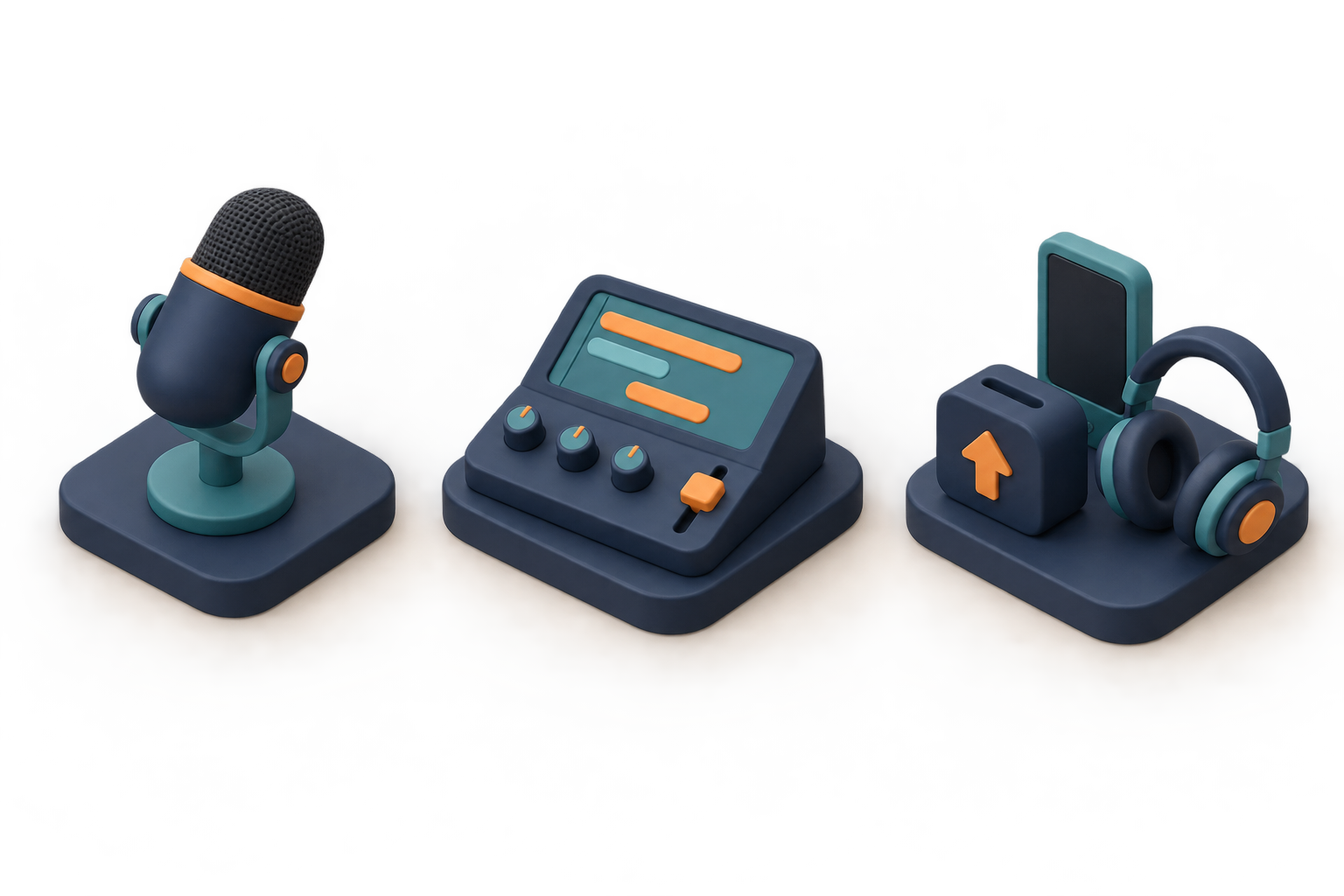
To create your own object sheet, run Object_Reference_EXACT.txt without attachments. For the same starting input as the approved run, use the included IMG_003_Podcast_Objects_REFERENCE_v001.png instead.
2
Attach that object sheet as the first and only reference. It contains all three object groups in a single flattened image; these are not separate cutouts or 3D model files.
3
Paste Final_Illustration_EXACT.txt and request one opaque image. The recorded run used ChatGPT built-in image generation. Ratio was instructed in the prompt, with no separate dimension or quality setting.
4
Check the left-to-right recording, editing and publishing progression, object consistency, connecting ribbon, and usable headline space.
5
Add any captions separately in your design software. This is a conceptual illustration, not a precise technical diagram or measured process map.
1672 × 941 pixels. Inspect the example and generation record. Repeated outputs can differ; review factual details, lettering and composition before use.
Choose a prompt to copy or customize. For reference and revision prompts, follow the application guide and attach the specified image.
Create one original isometric illustration explaining [PROCESS_NAME] for [TARGET_AUDIENCE]. Represent these stages in the supplied order: [ORDERED_PROCESS_STAGES]. Use exactly [STAGE_COUNT] distinct workstations, each communicating one stage through a clear action and recognizable objects.
Arrange the workstations along [LAYOUT_AND_READING_DIRECTION]. Connect consecutive stages with a single continuous [CONNECTING_ELEMENT] that visibly carries [PROCESS_OBJECT] through the workflow. Show how that object changes at each stage. Keep every connection unambiguous, with no branches, loops, or additional stages unless explicitly included in the supplied process.
Use a consistent isometric viewpoint, parallel projection, and uniform object scale. Build the scene with simplified three-dimensional geometry, [MATERIAL_STYLE], and [COLOR_PALETTE]. Place it against [BACKGROUND]. Apply soft lighting from one direction, restrained contact shadows, crisp silhouettes, and enough separation between objects to remain understandable at a small display size.
At each workstation, show only the equipment and actions needed to explain its role. Characters: [CHARACTER_COUNT_AND_ROLES_OR_NONE]. If characters are included, keep their proportions and visual treatment consistent and make their actions physically plausible.
Compose the illustration in [ASPECT_RATIO] format. Reserve [TEXT_SPACE_POSITION] for explanatory text added later. Do not generate words, letters, numbers, logos, watermarks, or interface screenshots. Avoid decorative machinery, disconnected arrows, duplicate workstations, impossible connections, and background clutter. Return one cohesive illustration, not a collage or a presentation slide.
Reference images and supporting artwork
Use the filenames in the guide to choose the correct attachment. Reference creation is optional when the supplied reference is used.
To create your own object sheet, run Object_Reference_EXACT.txt without attachments. For the same starting input as the approved run, use the included IMG_003_Podcast_Objects_REFERENCE_v001.png instead.
Attach that object sheet as the first and only reference. It contains all three object groups in a single flattened image; these are not separate cutouts or 3D model files.
Paste Final_Illustration_EXACT.txt and request one opaque image. The recorded run used ChatGPT built-in image generation. Ratio was instructed in the prompt, with no separate dimension or quality setting.
Check the left-to-right recording, editing and publishing progression, object consistency, connecting ribbon, and usable headline space.
Add any captions separately in your design software. This is a conceptual illustration, not a precise technical diagram or measured process map.
Example variable values
Process: From Podcast Recording to Published Episode. Audience: podcast creators. Ordered stages: microphone records sound; console arranges audio; upload dock publishes to a listening device. Stage count: 3. Layout: left to right. Connector: orange ribbon. Process object: an audio recording represented first by a waveform, then arranged segments, then a finished episode tile. Materials: matte clay-like hard surfaces. Palette: navy, teal, warm orange. Background: warm off-white. Characters: none. Requested ratio: 16:9. Text space: upper 28 percent.
The exact applied prompt expands the editable template with explicit reference preservation, object placement and symbols. It corrects the reference sheet's dark background through the final generation. That change is documented in the exact prompt.
Common fixes
Extra stations: explicitly repeat the stage count and name each group. Unclear connections: simplify to one connector between each adjacent pair. Changed objects: reattach the sheet and specify their shape, color and material invariants. Unwanted lettering: request blank surfaces and simple symbols only. Clutter: remove secondary props and increase spacing. For a workflow requiring exact topology or labels, use a vector diagram tool instead of this image-generation template.
Approved result and limitations
The user approved the final illustration with “approved” on 24 September 2026. The object sheet is a supporting reference. One object-sheet generation and one final generation were used; no retries or post-generation edits. The earlier product flat-lay candidate was superseded after the user required distinct prompts and is intentionally excluded from this pack.
The reference sheet has a dark vignette despite its prompt requesting an off-white background. The final illustration resolves this with a light background. The final console has more display segments than the reference. Some connector shapes are stylized and raised, rather than a literal flat ribbon. The requested upper 28 percent is approximate, not an exact safe-area specification. Ratios are requested values; actual pixel dimensions appear in the generation record. These differences are preserved in the approved original. Results can vary on repeat runs.
Generation record and review status
Original example · approval recorded. This is the supplied generation history; repeated generations may differ.