
Vague / ungrounded intent
"Beautiful luxury product photography of an organic cotton tote bag on a table, 8k render, octane, ultra realistic."
A useful product image prompt identifies the item, explains the image's purpose and defines composition, lighting, background and details that must remain accurate. Start with the product information, then add the visual treatment around it.
Decide whether you need a store-page image, a campaign concept or a social post. Write down the intended crop and whether the design needs space for text.
For example: “A horizontal campaign concept with the product on the right and quiet space on the left
for a headline.” This gives your composition a job before you choose dramatic lighting or an elaborate setting.
"Beautiful luxury product photography of an organic cotton tote bag on a table, 8k render, octane, ultra realistic."
"A horizontal 16:9 campaign banner concept with the product on the right third and quiet, uncluttered negative space on the left for headline typography."
Record its shape, material, color and distinguishing details. Use a clear product reference when your selected workflow supports one. Do not fill gaps with guesses, especially for packaging, controls, attachments or labels.
For an exploratory concept, identify which details remain provisional. For an image representing an item for sale, compare the generated result with the actual product before publication.
Choose a background that suits the intended message without making the product difficult to see. Describe the direction and character of the light in plain language: “soft light from the upper left” is a clearer instruction than a collection of unrelated cinematic adjectives.
Specify placement, viewing angle and any important reflections or shadows. Keep props purposeful. If an accessory might appear to be included with the product, make that relationship unambiguous in the finished page.
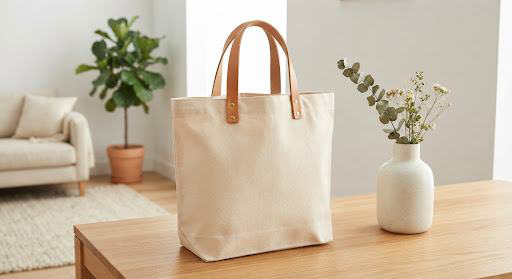
Props remain sparse (a single dried sprig, rolled linen ribbon) to preserve visual clarity without distracting from the tote bag fabric.
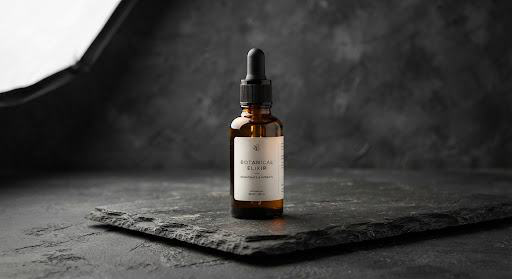
Monochrome dark charcoal background makes the rich amber glass and product liquid glow cleanly without unwanted reflections.
Try this editable example:
Create a horizontal product campaign concept for [product].
Use the supplied product reference to guide its shape, color, material and visible details.
Place the product on the right third of the frame, viewed from [angle].
Use [background] with soft light from the upper left and a grounded shadow.
Keep the left half visually quiet for a headline.
The mood is [two descriptive words].
Do not add extra products, accessories or invented packaging details. Leave all campaign text
out of the image.
Replace each field with a concrete choice. If you do not have a reference, change that sentence to an accurate description and treat the result as a concept until you can verify it.
Check silhouette, proportions, finish and distinguishing features. Look carefully at labels, small components and boundaries where the object meets the background. Verify that shadows and reflections do not make the scene confusing.
Next, review the composition at its intended display size. Is the product immediately clear? Does the planned text fit without covering essential details? Revise the most consequential issue first. Keep a record of the prompt and inputs used for approved directions so the next image begins from the same brief.
For a reusable campaign asset, consider adding the final headline in your design workflow. This makes wording and layout easier to revise independently.
Add enough to support the product's message. Remove details that compete with the item or imply features it does not have.