
Why your AI result looks different
from the example
1Start by comparing the complete setup
Copying the words is only the first part of reproducing a workflow. Check the prompt page for the tool used, available version information, reference inputs, settings and any editing performed afterward. If a detail is not documented, do not assume it was the same in your run.
Also review your conversation context. Earlier instructions or material you supplied may change what the tool has been asked to do. For a clearer comparison, organize the relevant instructions and inputs into one explicit brief.
2Separate a useful difference from a real failure
Write down what the output must preserve. A product image may need the correct silhouette and a readable label. A video shot may need one uninterrupted action. A welcome email may need a specific offer and next step.
Then identify what can vary: background texture, an optional phrase or a secondary decorative element. This keeps you from spending time chasing
a preview detail that does not affect your project.
3Diagnose the mismatch before rewriting everything
Use a simple comparison record:
TABLE_AUDIT_LOG| Check | Question to ask | Possible revision | Status action |
|---|---|---|---|
| Subject | Did I describe the correct thing? | Add the missing identity, taxonomy, or factual detail. | Inspect Identity |
| Inputs | Did the example use material I omitted? | Supply the relevant input or style reference if the tool supports it. | Attach Media |
| Composition | Is the information or subject arranged correctly? | Specify the required spatial order, foreground/background tier, or placement. | Anchor Hierarchy |
| Constraints | Do any instructions compete? | Remove or resolve contradictory directives (e.g. "minimalist yet hyper-ornate"). | Prune Conflicting |
| Finish | Was the preview edited after generation? | Compare with documented generation stage; account for Lightroom, upscalers, or manual cleanup. | Trace Post-FX |
Consider this visual brief: “Create a close-up of a bottle with a large empty area for copy and a wide landscape background.” Those directions may compete for space. Decide which requirement comes first, then state the framing clearly.
A revision could read: “Place the bottle on the right third of a horizontal image. Keep the left half visually quiet for a headline. Show a simple background and make the bottle the dominant subject.”
4Run a controlled revision
Keep the main subject and required facts unchanged. Revise one instruction or setting associated with the problem, then compare the outputs against the same criteria.
For text, verify factual statements again after each revision. For visual work, inspect the details that matter to the brief even when the overall image looks convincing. Keep a short record of useful changes so future attempts begin from evidence rather than memory.
Frequently Asked Questions
Does a different result mean the prompt is bad?
Not automatically. Check the inputs, competing instructions and the task fit. A template can be useful while needing changes for your situation.
What should a helpful preview disclose?
It should distinguish the generated output from later edits and identify important inputs and settings when available.
Next Step Verified Blueprints
View All Guides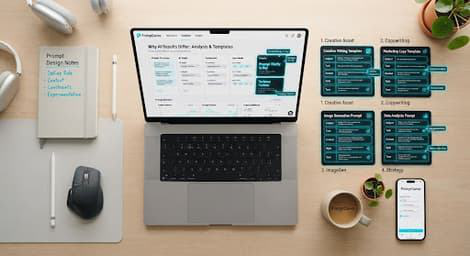
How to Use AI Prompt
Templates
Master variable injection, slot filling,
and structural framework adaptation…

Product Reveal Video
Consistent camera movement and
cinematic lighting cues optimized for…
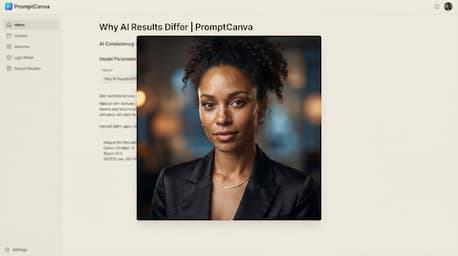
Editorial Portrait
Photography
Authentic texture, studio lighting rigs,
and lens emulation prompts free from…