
Pairs Instructions With Real Examples
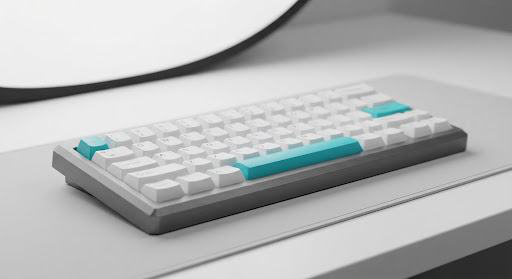
See the actual output alongside the exact seed, model version, and unedited test logs before you run it.
SEED #84920481RAW RENDER
PromptCanva is being built for people who need to make something: a product image, a launch page, a video
concept, or the next piece of content. Our goal is to make the path from idea to usable draft easier to
understand.
A prompt makes more sense when you can see what it is trying to produce. That is why the library pairs instructions with examples, adaptation notes, and clear limits. We want you to understand what to change and what to check, not simply copy a paragraph and hope. We begin with a focused collection and improve it through real project feedback. Useful, understandable templates earn their place here.
See the actual output alongside the exact seed, model version, and unedited test logs before you run it.
Clear bracketed variables like [Product Name], [Lighting], and [Audience] so you know exactly which tokens modify the result.
“Architectural portrait of [Spatial Studio] in [Golden Hour Light] for [Design Directors]”
Honest guidance on what the prompt cannot do, common model failure modes, and post-generation quality checks.
Fine LetteringValidated (0–2 words)
Complex AnatomyRequires Negative Seed
We begin with a focused collection and improve it through real project feedback. Useful, understandable templates earn their place here.
Every entry begins inside working creative pipelines—real brand launches, pitch decks, interface prototypes, and video pre-visualizations—not synthetic benchmark prompts created in a vacuum.
Weights and phrasing are tested across major revisions (e.g. Midjourney v5.2 through v6.1, Flux.1 Schnell through Dev, and Claude 3.5 Sonnet) to quantify variance and mitigate syntax decay.
If a prompt breaks under specific aspect ratios or seed clusters, the community issue tracker captures the limitation and updates the guidance notes publicly.