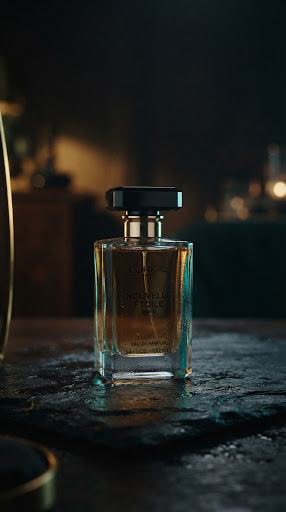
A product reveal video prompt defines the product reference, camera movement, lighting change, duration and final composition. This template uses a restrained continuous shot to make the reveal readable while reducing opportunities for packaging, logos and product geometry to drift.
"One product. One controlled movement. A reveal with room for your message."
Copyable prompt • Production Ready v3.1
Generate a [DURATION_SECONDS] -second product reveal using [PRODUCT_REFERENCE] as the authority for [PRODUCT_NAME] . Output aspect ratio: [ASPECT_RATIO] . Setting: [SETTING] . Surface: [SURFACE] . Lighting palette: [PALETTE] .
Use one continuous shot. Begin at [OPENING_FRAMING] with the product already physically present. Move the camera through [SINGLE_CAMERA_MOVE] at a smooth, restrained speed. Reveal [PRODUCT_DETAIL] through [LIGHTING_OR_FRAMING_CHANGE] , then settle into [FINAL_FRAMING] for the final [HOLD_SECONDS] seconds. Keep the total duration consistent with that hold.
Preserve the product’s silhouette, scale, materials, color, label and logo throughout every frame. Keep it anchored to the surface unless a supported motion is explicitly requested. Keep shadows consistent. Do not morph packaging, duplicate products, invent accessories or reveal unreferenced details.
Leave [TEXT_SAFE_AREA] clear. Add no generated titles or claims. Generate without audio if supported. Keep product identity stable during both the camera movement and final hold.